
Characters
The character camp is a campfire at night with five logs behind it, one character sitting on each. A normal login takes you straight back to the character you played last; you come here only to change character, create a new one, or delete one. The five characters on one account are independent of each other. All they share is cats, and the origins and races already unlocked.
Where a login takes you
Link to the “Where a login takes you” sectionIf you simply log in and the account has a character you played last, you go straight into the game, back where that character logged out. In these cases you still arrive at the camp first:
- The account has no characters yet.
- After pressing Switch Character in the game, creating a new character, or deleting one.
- When the login comes with a reason on screen, such as “The selection timed out”, “This character was deleted”, or “The game world is restarting”.
- When going straight into the game doesn’t succeed.
What the camp looks like
Link to the “What the camp looks like” sectionA log with a character has that character sitting on it; for an animal character, the animal itself sits there. An empty seat is a faintly glowing ring of human outline with “Empty slot” written above it. The top-right corner shows the account’s cats and “Characters n/5”. The key legend stays at the top of the screen, and at the bottom there is a single button: Enter Game when a character is selected, New Character when an empty seat is selected. When the account already has characters, a pale grey line under New Character reads “All characters on this account share the same cats”.
When you enter the camp, the cursor rests on the character you played last. A new account has no characters at all: the campfire counts down 3 seconds and Character Creation begins on the log in the middle. If you press another key during the countdown, it stops and waits for you to pick a seat yourself.
How to operate it
Link to the “How to operate it” sectionA/D changes character. Pressing D at the far right wraps around to the far left, and pressing A at the far left wraps to the far right. Left-click confirms: with a character selected you enter the game, and with an empty seat selected you create a new character in that seat. Right-click returns to the wide view that shows all the logs. F renames, and Ctrl+Q deletes the character. Pressing Q alone deletes nothing and only reminds you to hold Ctrl. Key names on screen follow your own key bindings.
The character card
Link to the “The character card” sectionSelect a character and they stand up and walk to the campfire. The camera moves in and the character card appears on the right:
- Name
- Race · Origin
- Day number · Location (the day number is how many days this character has spent in this world)
- Squad size
When things are going badly there is one more line in red: Jailed (by whom and how long is left, or “no release date”), Enslaved, Downed, or “Whole squad down, awaiting rescue”. In the wide view the character also has a small line of red text above their head.
The card shows the state the character was in when they last left, so you know what situation you are walking into before you enter. Sentences run in real time and keep running while the character is offline.
A new character is given a name automatically according to race and sex: Humans get names such as “Blade” and “Redsand”, the Shek get “Ironhorn” and “Redhorn”, Hivers get “Seven”, and Skeletons get “Thirteen”. Names already used on the same account are avoided.
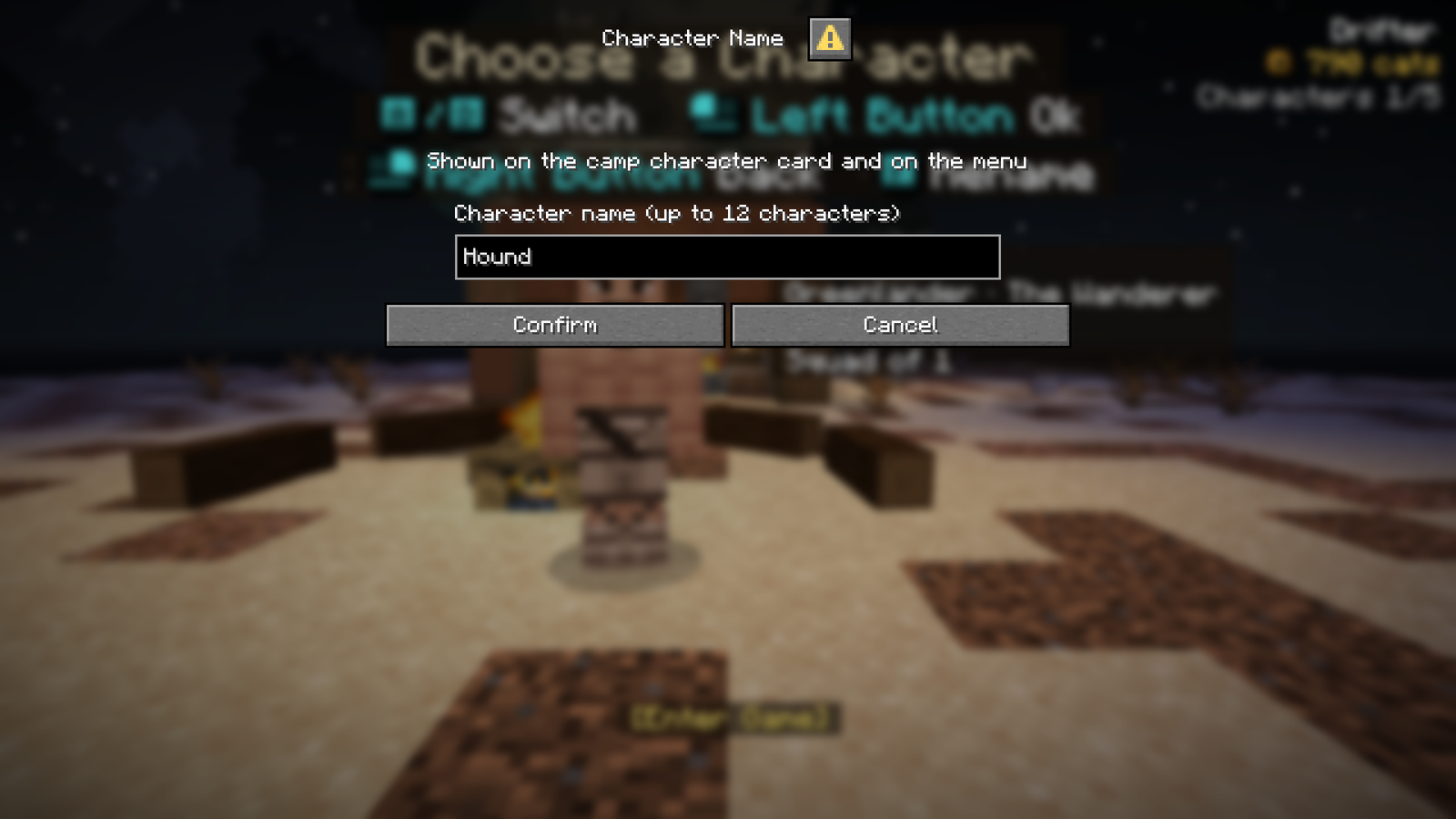
To change it, select the character and press F. A name can be up to 12 characters, cannot be blank, and cannot contain ~ or colour codes. The name appears on the character card and in the Game Menu.
Entering the game
Link to the “Entering the game” sectionSelect a character and left-click, and they play a short exit: they turn and walk into the dark, nod to the companions by the fire, or, when the squad has more than one person, perhaps blow a horn to gather the squad. The same scene does not normally play twice in a row. A jailed or enslaved character only lowers their head while the chains rattle. A downed character sinks to the ground. Left-click again if you do not want to watch.
The screen then goes black, and sometimes you are asked to reconnect. That is the normal process and not a kick. Details are in Joining the Server.
Changing character in the game
Link to the “Changing character in the game” sectionThe red Switch Character button at the bottom right of the Game Menu first opens a confirmation box, “Switch character?/Returns to the character camp”. After you confirm, you return to the camp with the cursor on the character you just left.
You can switch in any situation: in combat, downed, or being carried. The effect is the same as logging out. For that reason, switching away does not get the character out of their situation. A jailed character is still in jail when you come back, a downed one is still lying there, and squad members left in place are still in place.
Only two things stop you: pressing again while a switch is still in progress, or holding an item on the cursor while the inventory is too full to put it back.
Next to Switch Character is Suicide. It asks for confirmation first: the current character dies, and bounty, sentence, and restraints are cleared together, but slave status is not cleared. For the consequences, see Death and Respawn. Preferences also has a Rent out while offline button. While it is on, this character waits in a bar as a mercenary when offline and can be hired by travellers on other accounts; see Characters, Rental and Party.
While you are away
Link to the “While you are away” sectionEvents in the world go on as usual while you are offline. While you play another character, squad members left in place can still be knocked down or taken away, and mercenary contracts still expire or end because you were away too long.
When you come back as that character, about 2 seconds after entering the game chat shows “While [name] was away: N events”, with the most recent ones listed below. Hover over a line to see the time and the people involved, and click to open the full list, which you can page through.
Deleting a character
Link to the “Deleting a character” sectionSelect a character and press Ctrl+Q. It also works in the wide view: the character first walks to the campfire so that you can confirm who is being deleted. The confirmation box states:
- [name] will be lost forever, with the race and origin of the one standing by the fire
- The squad will be disbanded
- The outpost will be abandoned too, and the blocks and items in it will be lost forever (shown only if there is an outpost)
- Cats are not affected
- If there is bound gear, how many pieces are left behind with the character and can never be recovered by anyone after the deletion
After you press the red Delete Character button, you still have to type the character name before the deletion really happens. Full-width or half-width and upper or lower case make no difference. If you do not finish within two minutes, you have to start over.
Carried items are not dropped as a corpse. They disappear together with the character. Cats and the unlocked origins and races belong to the whole account and are not affected.
| Situation | Number | Notes |
|---|---|---|
| How many characters one account can have | 5 | Delete one first when it’s full |
| The longest character name | 12 characters | Can’t be blank or contain ~ or colour codes |
| How soon a new account starts making a character at the camp | 3 seconds | Pressing another key stops it |
| How long the leaving scene lasts after picking a character | Within about 2.5 seconds | Left-click again to skip it |
| How many events are kept from while a character was away | Up to 50 | Chat lists 5 first; click to see them all |
| How long you have to confirm deleting a character | 2 minutes | After that you start over |
| How to move to the next character | A / D | Wraps round at either end |
| How to confirm | Left-click (or Space) | On a character, you enter the game; on an empty spot, you make a new character |
| How to go back | Right-click (or Left Shift) | Back to the view of the whole camp |
| How to rename | F | With a character selected |
| How to delete a character | Ctrl+Q | Q alone only warns you |
See also
Link to the “See also” sectionOfficial siteHow to joinWorld mapFAQ
DustMoon.net is not an official product of Mojang Studios or Microsoft, and is not approved or endorsed by them.
DustMoon is inspired by the world of Kenshi and is not affiliated with Lo-Fi Games.
© 2026 DustMoon.net