
Controls
The keys are still the Minecraft ones, but right-click, F, and Shift have many extra meanings, and three hotbar slots are fixed. One sentence is enough to remember before you set out: look at a person or thing and press right-click or F to interact, and slot 9 is the menu.
Key names on screen follow your own key bindings. This page gives the default keys.
Right-click and F: on whoever is glowing
Link to the “Right-click and F: on whoever is glowing” sectionThe person near your crosshair, within about 5 blocks, who is best placed for interaction glows on your screen. Nobody else sees this glow. Right-click and F both interact with that person, not with whoever happens to be standing in front of your face: if the shopkeeper behind is glowing, your right-click goes to the shopkeeper. Interaction mostly opens the other person’s menu, and talking, buying, and hiring all start there.
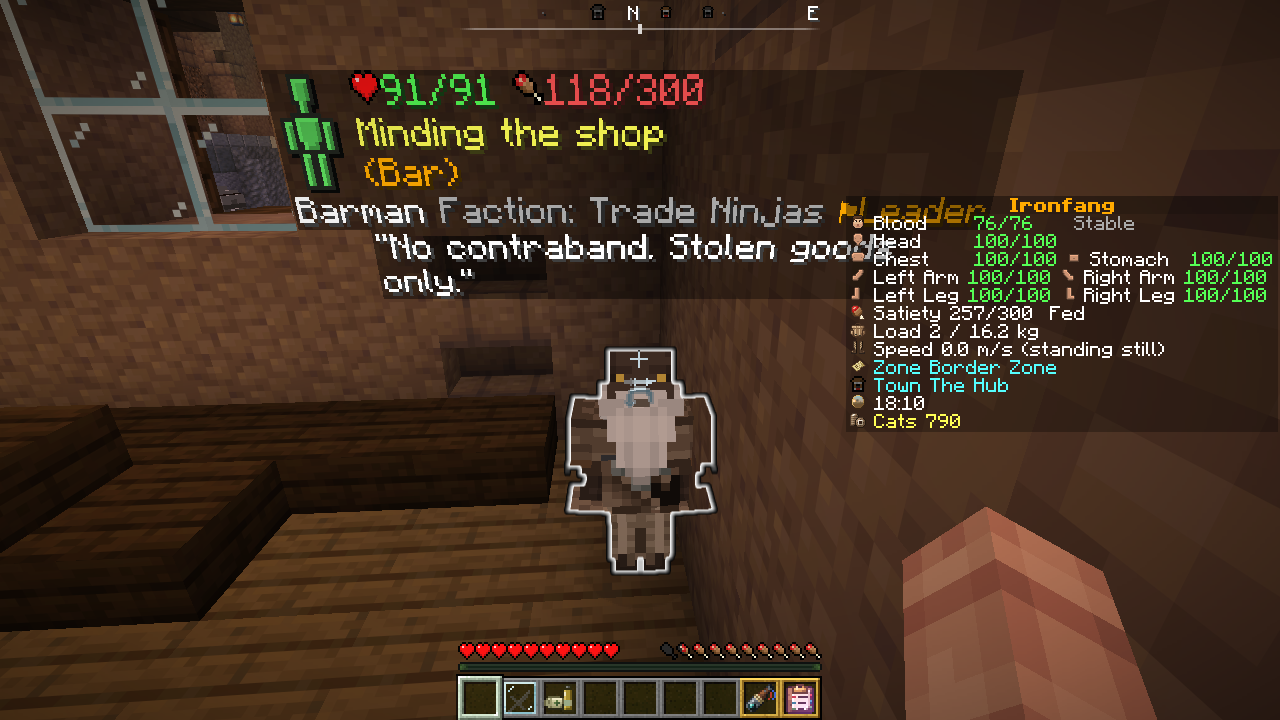
Left-click attacks have nothing to do with the glow. An attack hits the person under the crosshair. If you are slightly off, it aims at someone nearby automatically, but it does not switch to the glowing shopkeeper at the back. Hitting the wrong person in town is still a crime.
Right-click and F do the same thing most of the time. They differ in these cases:
- In combat (fighting, targeted by someone, or within about 5 seconds of stopping): right-click becomes block. With a melee weapon in your main hand, hold right-click to raise it and block. To interact you have to press F, and the middle of the screen sometimes reminds you.
- Holding a crossbow: right-click operates the crossbow; press F to interact.
- Corpses: only F loots them.
- Animals that are not hostile: right-click does not open the animal’s menu; F does.
- Holding the scope: right-click is always observe; press F to interact.
- Holding slot 9: right-click opens the Game Menu no matter who you are facing. To talk to someone, switch to another slot first.
- Carrying someone: F puts them down. When the one glowing at your crosshair is a town guard or a slaver, F (or right-click) hands the person over.
- Nobody glowing near you: F opens the “Self” menu, which holds things that concern only you, such as putting down the person on your shoulder, picking a lock, breaking free of ropes, or looting in ruins. When there is nothing at all, the screen says “There’s no one nearby”.
When you look at a block such as a door, a chest, a bed, or a cell door, that block is covered by a frame only you can see. A white frame means you may do it. A red frame means doing it is illegal, and a line of text beside it states what pressing will do and which law it breaks.
Someone comes to you: click in chat
Link to the “Someone comes to you: click in chat” sectionWhen you are stopped on the road, questioned, or approached by someone who wants a decision from you, the options do not open a box that blocks the screen. They arrive as a message in chat, one option per line. Press T to open chat and click the line you want with the mouse; hover over it to read the explanation first. The bar at the top of the screen counts down “Respond - Ns”. If time runs out before you choose, the option named in the message is chosen automatically.
Only conversations and shops that you open yourself, by walking over and pressing right-click or F, appear as a box.
The three fixed hotbar slots
Link to the “The three fixed hotbar slots” section- Slots 1 and 2: main weapon and sidearm. They take only weapons and crossbows, and only ones you put there by hand. Items you pick up never land in these two slots. While you hold one, the other hangs on your body. Holding an empty weapon slot means you are unarmed and fight with Martial Arts.
- Slot 8: Skeleton Eye Scope. Hold right-click to look into the distance. It cannot be dropped or put in a chest. People and creatures you see clearly are written into the Journal; details are in Nameplates and Skeleton Eye Scope.
- Slot 9: Game Menu. It cannot be dropped or moved, and you do not lose it on death. It is the entry to almost every function; see Game Menu.
The meanings of Shift
Link to the “The meanings of Shift” section- Hold: crouch, which is sneaking.
- Press twice quickly: turn Sneak Mode on or off, so you do not have to keep holding. While it is on you walk more slowly, and the action bar shows a state such as “Sneaking: Unnoticed”. In combat you never count as sneaking.
- Get up: press once to stand up after playing dead, while sitting, or while lying in a bed.
- Stop, cancel: press Shift to stop a continuous action in progress; press Shift to cancel while choosing a target or placing something.
- Shift+F: open the Game Menu.
- Shift+right-click: on stairs, bottom slabs, and carpets it sits you down; holding a heavy weapon out of combat it changes the carry style (on the back, on the shoulder, two-handed, one-handed in turn); with fuel in hand on a machine it puts the fuel in; on camp furnishings you placed yourself it takes them back.
Movement: climbing walls, crouching through, crawling into holes
Link to the “Movement: climbing walls, crouching through, crawling into holes” section-
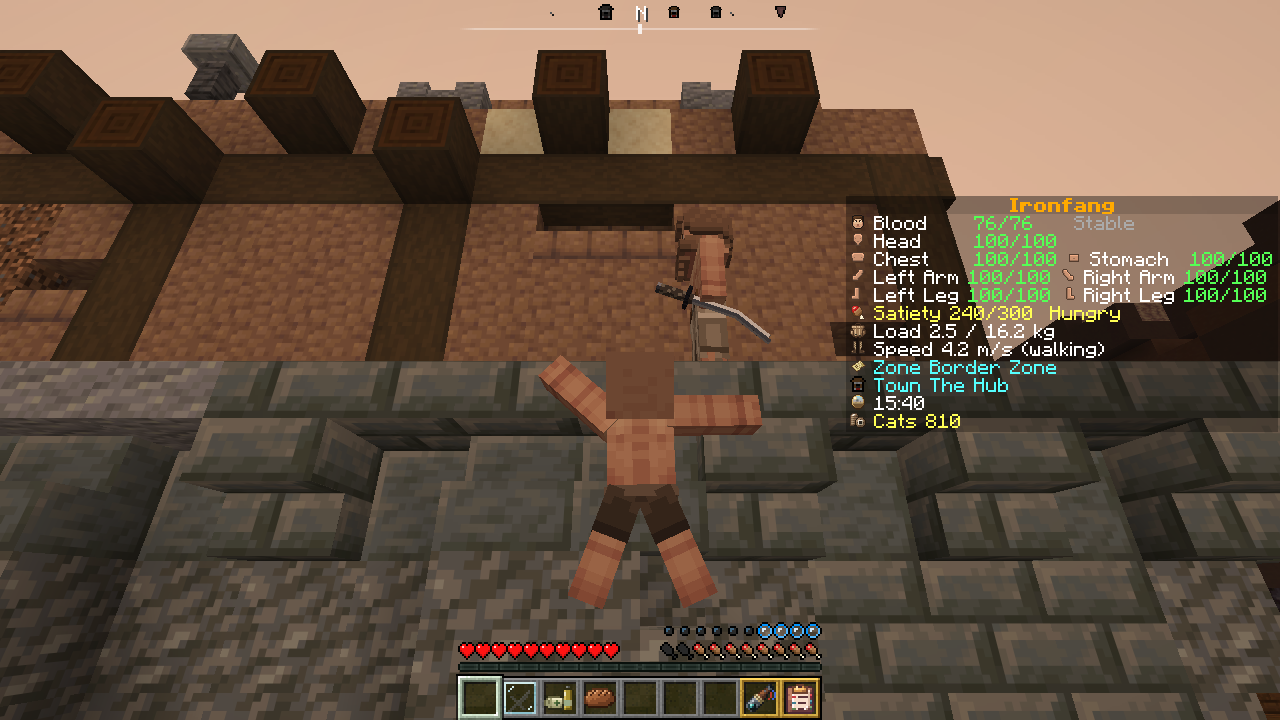
Climbing walls: press against a wall and hold W (or Space) to climb up; at the top you pull yourself over. Hold Shift to stay on the wall, and release W to drop. Town walls and town gates cannot be climbed. Climbing uses up oxygen, and how high you can climb depends on Strength. When the oxygen runs out you let go and need to catch your breath before you can hold on again. You cannot climb while riding a mount, being carried, downed, or standing in water.
-
Places that are too low: hold Shift and crouch through; a hint appears on screen.
-
Holes one block high: if the hole is at your feet, hold Shift+W to crawl in; if the hole is in front of your face, press Space+W to squeeze in.
-
Sitting: Shift+right-click stairs, a bottom slab, or a carpet. Press Shift or Space to get up. You stand up by yourself when hit, when a fight starts, or when you pass out.
When you are tied up or locked up
Link to the “When you are tied up or locked up” sectionSwitch to an empty hand, look at the ground, and right-click to start picking the lock or breaking free of the ropes; press again to stop. The bar at the top of the screen shows the progress. For what happens after capture, see Captives and Cages and Prison.
Items on the ground and work spots
Link to the “Items on the ground and work spots” section-
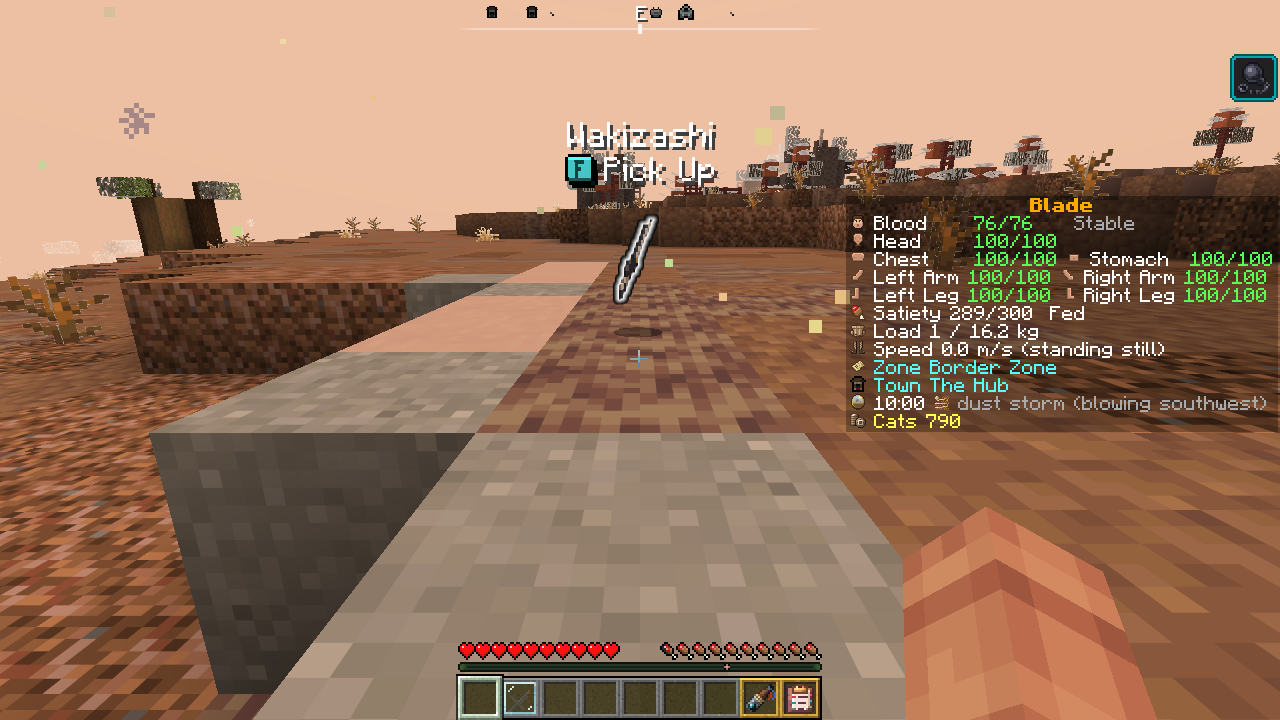
Items on the ground: cats and bounty heads are picked up automatically when you walk over them. Other items need the crosshair on them and F to pick up; while you aim at one, its name and “F Pick Up” are shown above it. Weapons and armour lying on the ground glow according to quality.
-
Work spots: when the crosshair is on an ore node, a well, a field, or a machine, that block is covered by a frame, and the action bar or the edge of the frame tells you how to use it, for example to press right-click to start work. Ore nodes, wells, and fields are worked by holding left-click with a Gathering Pickaxe. Press F on one to send a squad member to do it. Details are in Gathering and Cleanup Pay and Workstations.
Minor control hints appear as faint text on the action bar. A hint appears only when you reach that step, and the same kind of hint appears at most once a minute. None appear in combat, while unconscious, or while a menu is open, so they never get in the way of a fight.
| Key | Situation | Effect |
|---|---|---|
| Left-click | General | Attack the person under the crosshair (the glow is ignored) |
| Left-click (hold) | Gathering Pickaxe on an ore node, well, or field | Mine, draw water, harvest |
| Right-click | On the glowing person | Interact, open their menu |
| Right-click (hold) | Melee weapon in the main hand | Block |
| Right-click (hold) | Holding slot 8 | Observe with the scope |
| Right-click | Holding slot 9 | Open the Game Menu |
| Right-click | Tied up or locked up, empty hand, looking at the ground | Start or stop lockpicking or breaking free |
| F | On the glowing person | Interact; in combat only F works |
| F | Corpse | Loot |
| F | Item on the ground | Pick up |
| F | Carrying someone | Put down |
| F | Ore node, well, field, storage chest | Send a squad member to do it |
| F | Nobody glowing near you | Open the “Self” menu |
| Shift (hold) | General | Crouch and sneak |
| Shift twice quickly | General | Turn Sneak Mode on or off |
| Shift | Playing dead, sitting, lying in a bed | Get up |
| Shift (hold) | On a wall | Stay in place |
| Shift+F | General | Open the Game Menu |
| Shift+right-click | Stairs, bottom slab, carpet | Sit down |
| Shift+right-click | Holding a heavy weapon, out of combat | Change the carry style |
| Shift+right-click | Fuel in hand, on a machine | Put fuel in |
| Shift+W | Hole one block high at your feet | Crawl in |
| Space+W | Hole one block high in front of your face | Squeeze in |
| W (hold) | Against a wall | Climb |
| G | With the resource pack | Open the Game Menu, the same one as slot 9 |
| L | With the resource pack | Open the World Map |
| Esc | General | Pause menu; with the resource pack it gains a Game Menu button, and Advancements and Statistics are replaced by World Map and Skills |
| Esc | One level down in a menu | Back one page |
| E | General | Inventory, which is also the status sheet (see Reading the Screen) |
| T | When chat has options | Chat has to be open before you can click them |
| Q | General | Drop the held item; slots 8 and 9 cannot be dropped |
| Ctrl+Q | Character camp | Delete character (see Characters) |
| F5 | General | Change perspective; during character creation the screen reminds you to switch back to first person |
| Situation | Number | Notes |
|---|---|---|
| How close your crosshair must be for someone to light up | Within about 5 blocks | |
| How long after you stop fighting you’re no longer in combat | About 5 seconds | In combat, right-click blocks and works the crossbow |
| How fast you must double-tap Shift to toggle Sneak mode | Within about 0.35 seconds | |
| How high you can climb in one go | 4 blocks, plus 1 block per 10 Strength | About 14 blocks at Strength 100 |
| How fast you climb | About 4 blocks a second | As fast as a ladder |
| How often the same small hint can appear | Once a minute at most | Shown faintly in the action bar |
See also
Link to the “See also” sectionOfficial siteHow to joinWorld mapFAQ
DustMoon.net is not an official product of Mojang Studios or Microsoft, and is not approved or endorsed by them.
DustMoon is inspired by the world of Kenshi and is not affiliated with Lo-Fi Games.
© 2026 DustMoon.net